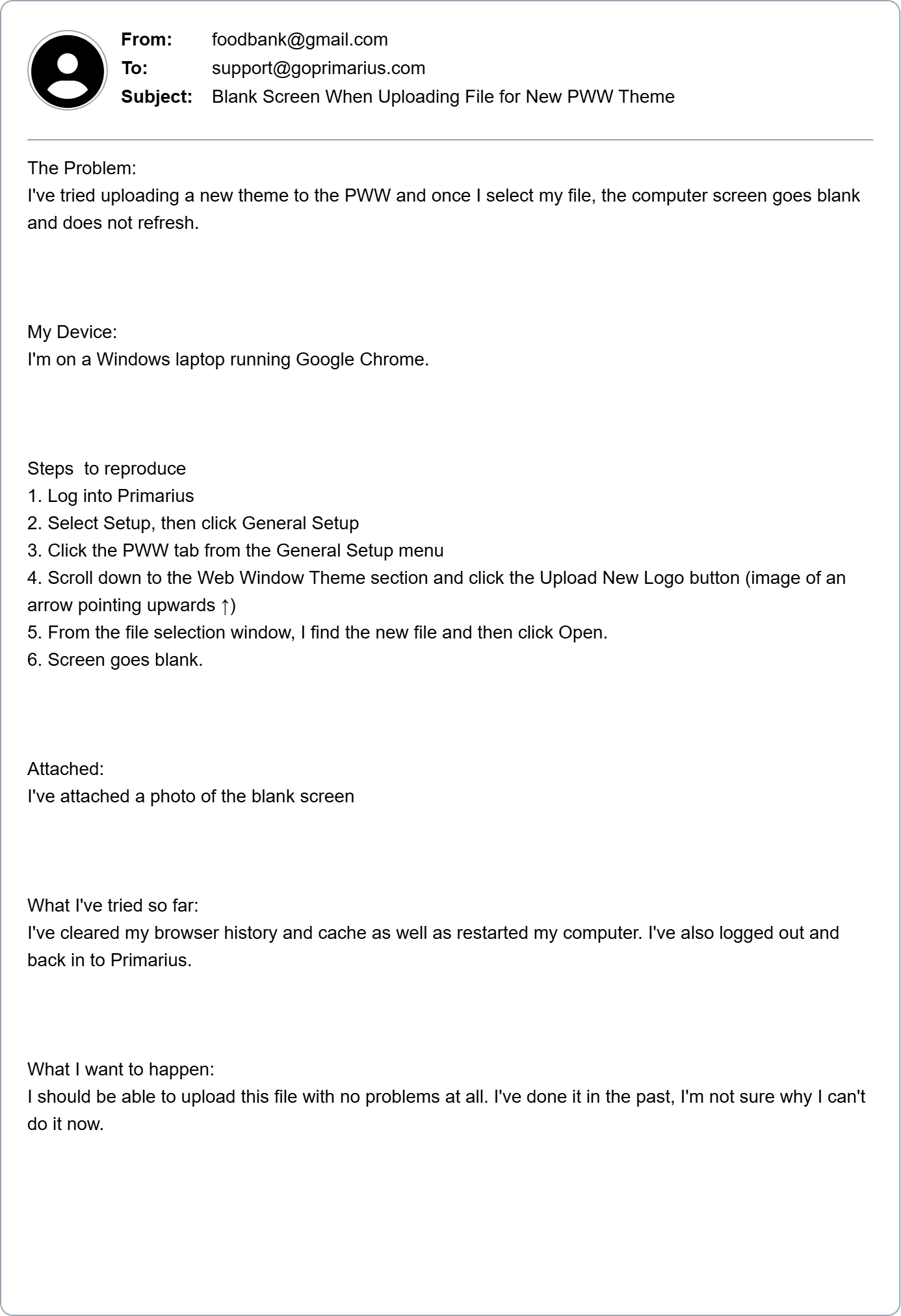
We're committed to resolving your issue as quickly as possible, but we will need your help to do so. That's why, when submitting your support request, it is important to be as detailed and specific as possible. This article will include tips and tricks to follow when asking for help.
1. The Subject Line
Think of the email subject line like a newspaper headline. It should tell our team exactly what is happening before we even open the email. While "Help!" or "It's Broken" indicate that something is wrong, it doesn't provide a strong foundation for our response.
- Instead of "Help!" or "Problem", try "Unable to Deactivate Product" or "System Report Missing Anticipated Data."
2. The Context Checklist
Since we can't see your screens, please be our eyes. We'll need you to include the basics of your inquiry, think of it as a "Who, What, and Where."
- Who - Is it just you? Your team? Users with specific access roles? All agencies or just a subset of them? Products with a specific FA Type?
- What - What device are you using? An iPad? Dell Laptop? An iPhone or Android?
- Where - What browser are you on? Safari? Google Chrome? Firefox?
3. Steps to Reproduce
The first thing we will want to do is get the error to happen on our end. Imagine you are giving someone directions to your house - that is the kind of information we are looking for. Tell us exactly which buttons you clicked to reach the problem.
- Write out your steps like a recipe.
- Log in
- Click Product Resourcing
- Click Purchase Approval Log
- Click Add Record - Error pops up
4. Screenshots, Screenshots, and More Screenshots
Visuals are worth a thousand words. Even if you think it is overkill, please include a screenshot!
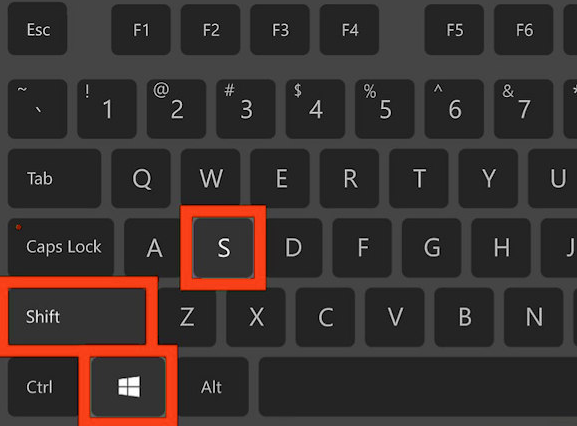
- Take a screenshot on Windows by simultaneously clicking the Shift, Windows, and S keys:
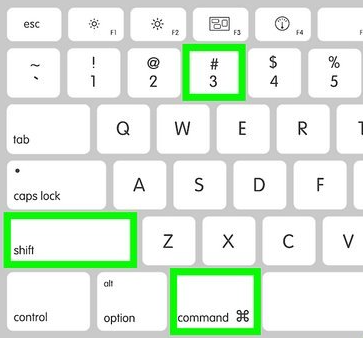
- Take a screenshot on a Mac by simultaneously clicking the Shift, Command, and 3 keys:
- For complex issues, a screen recording may be more appropriate. You can use built-in tools on your device to record the screen, or use your phone's camera, then attach the file to your email.
5. "I've Already Tried"
Save yourself time and limit back-and-forth communication with our team.
- Tell us the things you've already tried so that we don't recommend a step that you've already taken. This is a tremendous time saver and will get you a real solution faster.
6. Define What Success Looks Like
Help us understand what you expected the system to deliver. This can be accomplished in as few as two sentences: "What happened" and "What should happen."
- What happened - I clicked the Create Debit Memo button and the screen went blank.
- What should happen - I expected the page to refresh and take me to the Add Debit Memo screen.
Email Cheat Sheet
Copy and paste this into your message to make sure you have everything.
-
The Problem: [Describe what is wrong in one sentence]
-
My Device: [e.g., iPhone or Windows Laptop]
-
Steps to reproduce: [Step 1, Step 2, Step 3, etc.]
-
Attached: [A photo or screenshot of the error]
-
What I've tried so far: [e.g., Restarted my computer]
-
What I want to happen: [Describe what you are looking for]
Ticket Examples
Review the example below comparing a not-so-great request with a great one:
Not-So-Great
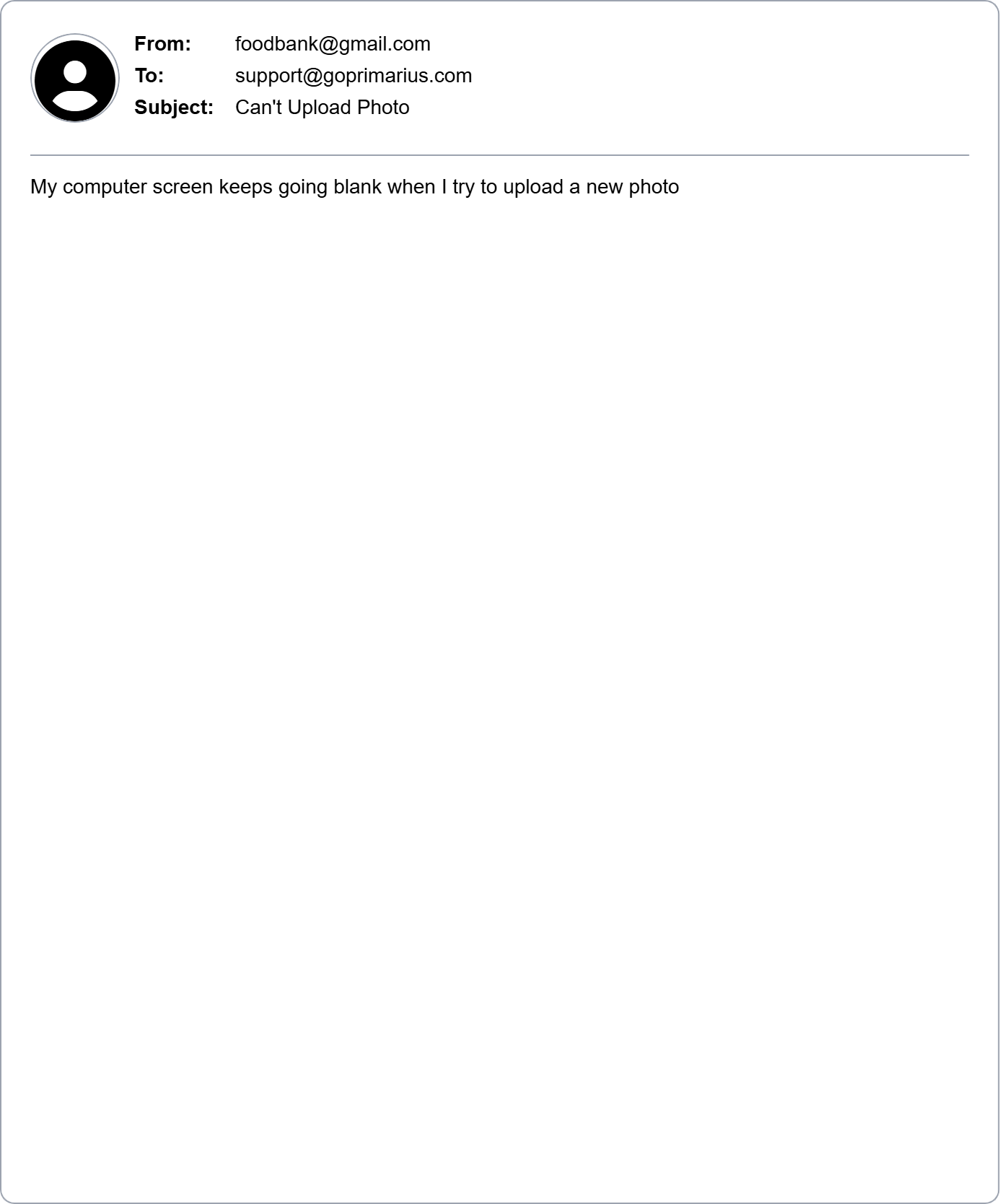
Great